Check the developer, icon, and app ID
Do not rely on the name alone when searching. Open the product page and confirm the developer is Shadow Launch Technology Limited, check that the app icon matches the official icon in this site's header, and verify id932747118 in the product URL. A similar name does not mean it is the same product, and ads or search rankings are no substitute for verifying its identity. Complete these three checks before reviewing the price, compatibility, and purchase button status.
Shadowrocket is a closed-source commercial app. Check the product page directly for update history, compatibility, and current store information. Do not infer the current status from search snippets or secondhand accounts. This guide does not list version numbers or update dates, so descriptions of a particular screen are not mistaken for permanent requirements. If an option has moved, look for its English interface label and confirm it in context on the current screen.
App Store availability and account region
If you cannot find the app, first check the store region for the account currently signed in to the App Store. Then check Screen Time content and age rating restrictions, as well as the account's payment status. Being able to open the product page in a browser does not guarantee that it is available for purchase in your account's storefront. The App Store shows its actual availability. Do not look for a purchase access switch inside the app; this is an App Store account and purchase issue.
Treat “product not found,” “payment could not be completed,” and “unable to connect after download” as separate issues. For the first two, check the App Store and account; for the last, check VPN permission, server details, and network conditions. Mixing up these stages can lead you to change information you have already verified. For a step-by-step checklist, see What to check when Shadowrocket does not appear in App Store search.
What a one-time purchase includes
The US storefront lists the app at about $2.99 as a one-time purchase. Other storefronts show local currency; the final price is the one displayed at App Store checkout. You are purchasing the Shadowrocket client—not a set of servers, a subscription term, or a guarantee of connection quality. Check the status of your own subscription, credentials, and server reachability using your connection details.
A rule file is not a server list. Rules determine how traffic is handled; server entries provide the actual connection details. Without an available server, a connection assigned PROXY may still fail even if the rule is present. If you are unsure what you have, first identify whether it is a share link, subscription URL, or configuration text, then choose the appropriate import method. An import that finishes without an error does not mean you can skip checking the result and selected entry.
Restore purchases and configuration separately
When switching devices or reinstalling, first check App Store purchased items using the Apple ID used for the purchase. If the page still shows a price, verify the account and purchase history before proceeding. Check the App Store listing for whether the purchase is universal across iPhone and iPad, whether Family Sharing applies, and compatibility with other devices. Do not treat the App Store status on one device as a fixed answer for another.
After restoring the app, restore your own server and configuration details. Before restoring, check that your backup is complete; afterward, verify the active file and selected server. If you use iCloud sync, check the sync options and content rather than assuming all settings will match automatically. App updates are managed through the App Store. If behavior changes after an update, note what happened and then review the relevant settings. See Restore a previous purchase for the full process.
Identify your existing connection details before importing
A single-server share link usually starts with a protocol prefix and describes the connection settings for one entry. A subscription URL retrieves a set of content that may change over time. A configuration file may include rules, general settings, and domain mappings. All three relate to configuration, but they serve different purposes. Do not paste an entire subscription URL into Host or treat a web page with instructions as subscription content. Scanning a QR code or using the clipboard changes only how you enter information; it cannot fill in missing details.
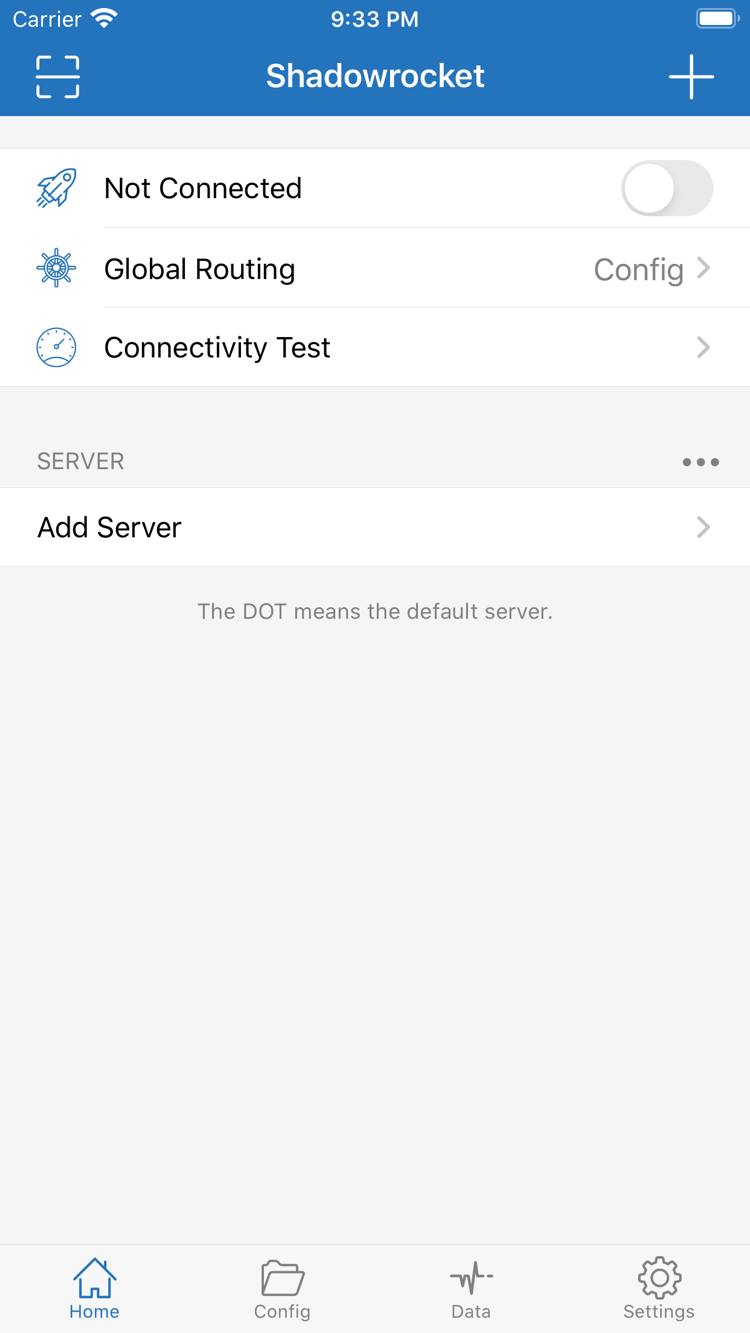
When adding a server manually, check Type, Host, Port, and authentication details in order, then review TLS, the transport method, and any additional fields. Do not assume fields are interchangeable just because VMess and VLESS use similar names. Use the exact values provided by your source. If required details are missing, verify the original information instead of repeatedly guessing. After saving, check the entry type shown under SERVER, then run Connectivity Test and verify actual access.
Keep conditions consistent when troubleshooting connection failures
When Shadowrocket cannot connect, note whether the error occurs while updating a subscription, establishing a connection, or accessing a destination. A subscription update failure does not necessarily mean all existing entries are unusable, and a connected status does not guarantee access to every destination. First confirm that the current network works on its own, then check permissions, the selected entry, Global Routing, and the active configuration file. Change one condition at a time to identify what affects the result.
If only some destinations fail under Config, check the order of domain rules and the fallback policy. If access also fails under Proxy, revisit the server settings and reachability. Direct connects without using the selected proxy for that traffic. Keep the exact error message for troubleshooting, but do not share passwords, UUIDs, full subscription URLs, or QR codes. See the glossary for key concepts and FAQs for common issues and what to check.
Before changing rules, define the expected result
Before adding a DOMAIN-SUFFIX rule, decide which domains it should match, which policy should apply, and what should happen to connections that do not match. Check more specific rules first, and put FINAL at the end as a fallback. Once an earlier rule matches, later rules cannot change the result. The example domains and addresses illustrate formatting; they are not a ready-made list of real-world targets. Keep a copy of the original file, confirm the edited file is enabled, and then verify that access and rule behavior match your expectations.
Understanding the settings is more useful than repeatedly toggling switches. On Demand controls connection triggers; Global Routing controls the routing mode; Rule controls matching behavior; Data records traffic. Keeping these roles distinct makes troubleshooting more efficient and helps you restore the previous state accurately. The rule reference covers section structure, matching order, and policies. Read it after you understand the basic connection setup.